

Version 1.1 of WooCommerce Memberships was released this week, which adds a few new features to make content public, display content to non-members, and improves the User Switching plugin integration.
We also added a public feature voting list to our documentation, which shows the features we have on our roadmap, and allows users to vote for their favorites so we can better prioritize them.
Make Content Public
WooCommerce Memberships makes it super easy to restrict an entire content type at once with a single restriction rule:
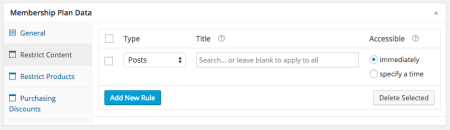
However, there was no way to “un-restrict” content if you wanted to have some posts as teasers. You can now make some content public by disabling any and all restrictions that apply to it. When editing your content, you can enable “Disable restrictions” to make this content public:
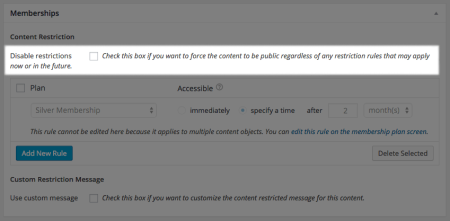
This works for posts, pages, products, or any other content that Memberships can restrict.
When you’re editing plans, Memberships will tell you if any content is public so you’re aware of which content has disabled restrictions.
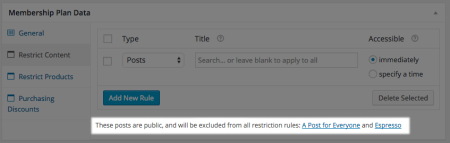
You can see more details on the “disable restrictions” setting in the documentation
Non-member shortcode
The [wcm_restrict] shortcode does not display a “restricted content” notice to non-members since it’s used within your content. We’ve added a [wcm_nonmember] shortcode that lets you display content to non-members, which can be used for log in messages, content restricted notices, or upsells.
For example, you can set up content like this:
This video overview shows you how it's done.

[wcm_nonmember]
Can't see the video? Please <a href="/my-account/">log in</a> if you're already a member, or <a href="/gold-membership/">purchase a gold membership</a> to view the video :).
[/wcm_nonmember]

[wcm_restrict plans="silver"]
Hey Silver member! Thanks for being part of our community :). If you want to view this video, please <a href="/gold-membership/">purchase a gold membership</a> or upgrade your current one.
[/wcm_restrict]

[wcm_restrict plans="gold"]
Embedded video
[/wcm_restrict]

Thanks for watching!
Any guest visitor or non-member customer will only see the non-member text:
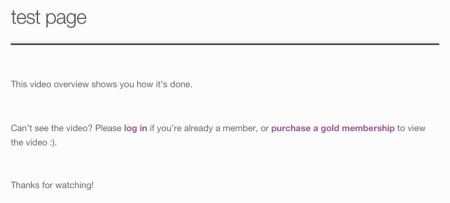
While my silver member will only see the message restricted to him:
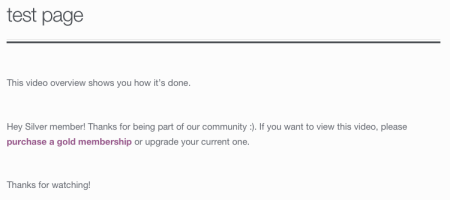
My gold member will have access to the video, and won’t be annoyed by the login reminder.
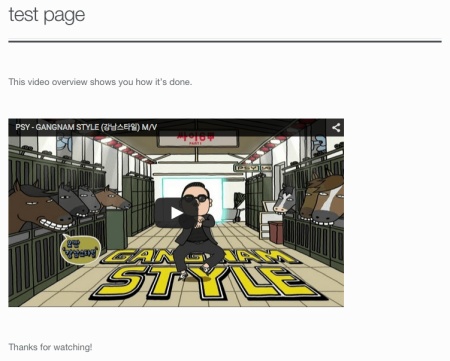
We have further details in the docs for this as well.
User Switching integration
To be able to switch back to your account after testing a membership and thus automatically destroy the test member, you’d previously have to use the “meta” widget. This was because you were impersonating a customer, so you didn’t see the admin bar while acting like a customer.
The admin toolbar is now forced for test members created with User Switching, which lets you switch back to your account easily via the admin toolbar, removing the need for the meta widget. Full details in our document on the User Switching integration.
Other Changes
We’ve refactored our rules structure to simplify it and make it more performant, which has let us make minor improvements. For example, when using the “Hide restricted products” setting, search results and the product count in the shop loop will now be correct.
The [wcm_restrict] shortcode also now lets you use other shortcodes within restricted content.
Finally, we fixed an issue that would sometimes avoid creating an account for guest purchases, as an account is needed to use a membership. The forced account creation has now been patched to always work.
You can view the full changelog for additional fixes and tweaks. If you haven’t tried it yet, you should purchase your copy of WooCommerce Memberships while it’s still on sale!