This Ask SkyVerge question comes from Frank:
Is it possible to remove the product thumbnails and the links to the product page on the cart page?
By default, the WooCommerce cart page includes product images and links to product pages in your shop for each item in the cart.
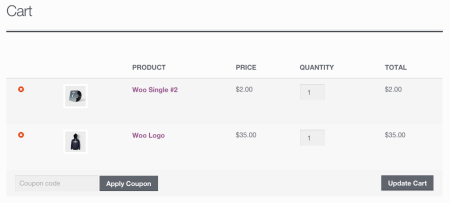
However, the cart template is pretty flexible, and there a couple of handy filters in it that can let us change these cart elements.
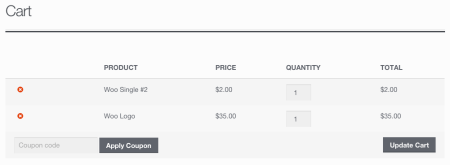
First, we can remove WooCommerce product images from the cart easily using the woocommerce_cart_item_thumbnail filter, and simply settings it to return false:
add_filter( 'woocommerce_cart_item_thumbnail', '__return_false' );
Abracadabra, images are gone 🙂 .

Removing the links to WooCommerce product pages in the cart requires a slightly longer snippet, but the woocommerce_cart_item_name filter is available to help us with this. Typically, this uses something like <a href="product_url">product_name</a>, but we can force it to just return the product name instead.
function sv_remove_cart_product_link( $product_link, $cart_item, $cart_item_key ) {
    $product = apply_filters( 'woocommerce_cart_item_product', $cart_item['data'], $cart_item, $cart_item_key );
    return $product->get_title();
}
add_filter( 'woocommerce_cart_item_name', 'sv_remove_cart_product_link', 10, 3 );
When we do, only the name will appear in the cart without a link to the product page.
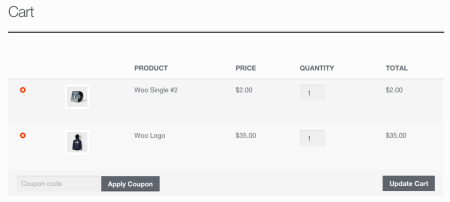
You can also combine both of this snippets to remove WooCommerce product images and product page links on the cart page: