

Today’s question comes from Scott:
Can I use or create a shortcode to have the “My Memberships” area outside of the “My Account” page? In other words, if I wanted to place My Memberships on a page other than the default /my-account page, would I be able to do that?
This is an interesting question, as you could add the “My Memberships” table to a custom page on your site, protect that page for members, and then remove it from the “My Account” area.
However, there’s no shortcode to generate the “My Memberships” section with WooCommerce Memberships currently. With that said, it’s fairly easy to add one, as there’s already a function to output this area that Memberships uses itself:
wc_memberships()->get_frontend_instance()->get_members_area_instance()->my_account_memberships();
We’ll make a shortcode to output this and then wrap it in a div with the CSS class woocommerce so it’s styled automatically like a WooCommerce table:
Now you can use [wcm_my_memberships] within your content anywhere that shortcodes are expanded, and this area will render if a user has 1 or more memberships. If the user does not have a membership, the section will not be shown:
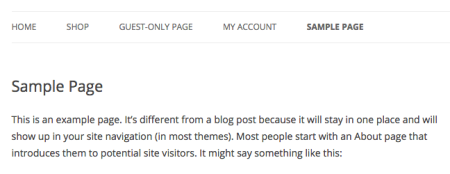
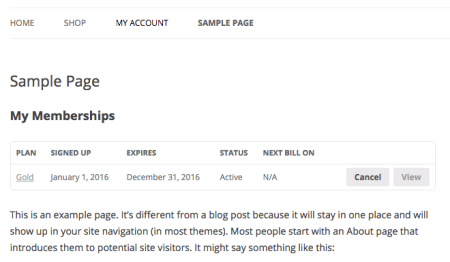
Easy enough!
Bonus round: If you wanted to move the My Memberships table completely, you can remove this from the My Account area with a tiny snippet as well.
Hope this helps, Scott!